- Download iTunes install file:
- - Direct link for 64bit - https://www.apple.com/itunes/download/win64
- - Direct link for 32bit - https://www.apple.com/itunes/download/win32
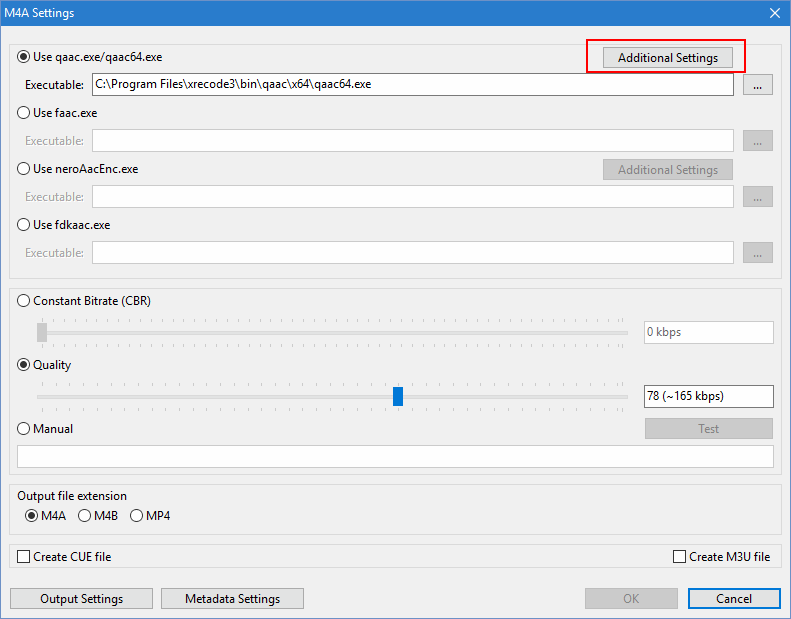
- Start XRECODE3 and click on M4A Settings. Then clik on "Additional Settings"
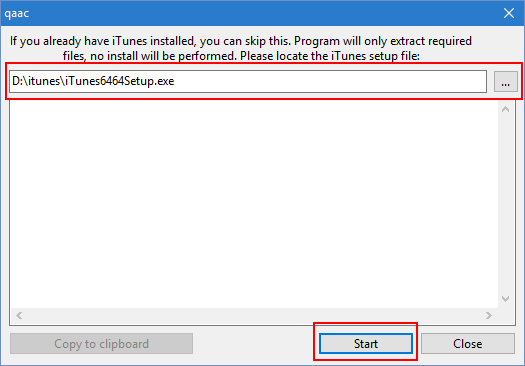
- Locate itunes setup file you just downloaded and press Start
- Wait for Close button to become available, then press it.
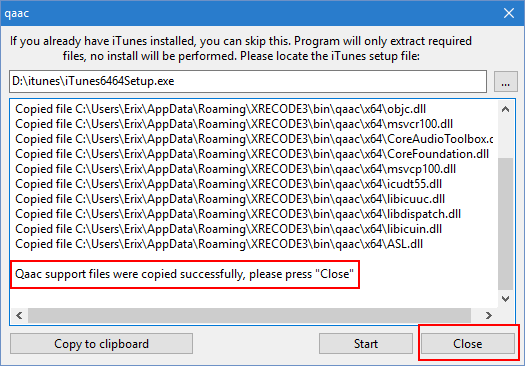
- That's it, you can now start to encode to M4A.
- If you're still getting the error, please install the Microsoft Visual C++ Redistributable from https://learn.microsoft.com/en-us/cpp/w ... 9-and-2022
Convert to M4A without installing iTunes
Convert to M4A without installing iTunes
How to convert to M4A without having to install the iTunes.